

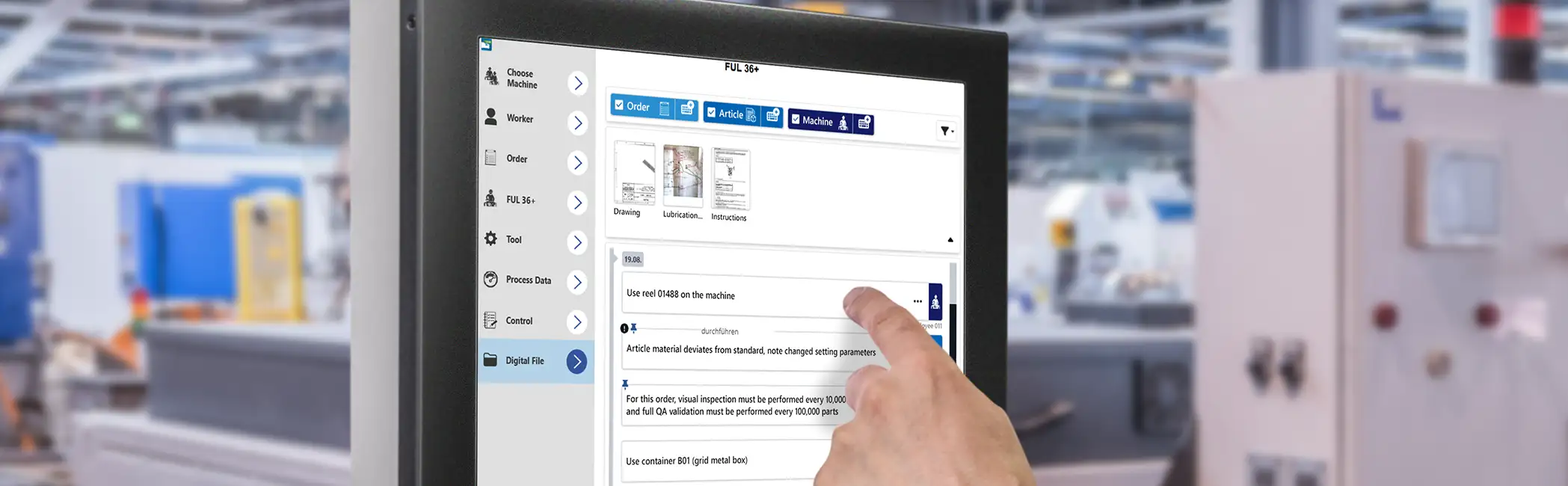
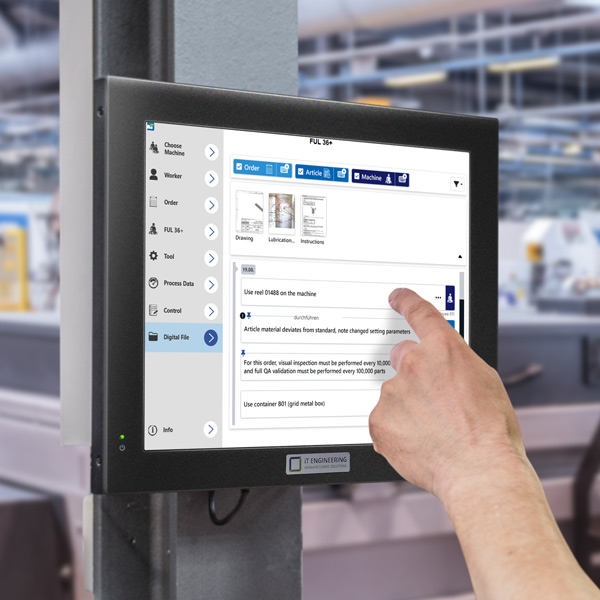
Digital Production File & Shift Log: Everything directly at the machine.
Provide documents, drawings, status comments, and the shift log centrally at the machine terminal.
From paper chaos to a central information hub on the shop floor
Searching for outdated paper printouts wastes valuable production time. The Digital Production File bundles all relevant information digitally, even on the container label. For the first time, it makes the flow of knowledge in your manufacturing process fully bidirectional, seamless, and available at all times:
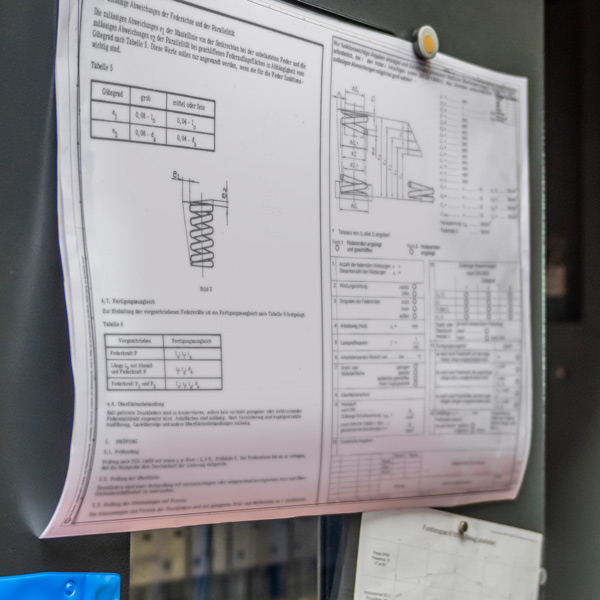
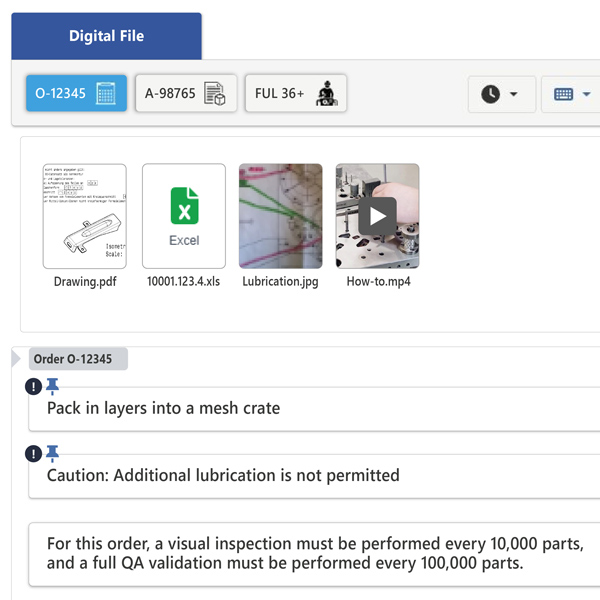
Always the right data at hand, structured by order, article, and machine
Production planning provides all manufacturing documents (drawings, images, PDFs, Excel sheets, videos) centrally. The operator simply selects the appropriate filter (order, article, or machine) and instantly sees the exact information relevant to their current work step.
Whether specific inspection orders for a customer order, fixed CAD drawings for an article, or machine specific lubrication and setup plans: The system prevents information overload and guarantees error free work.
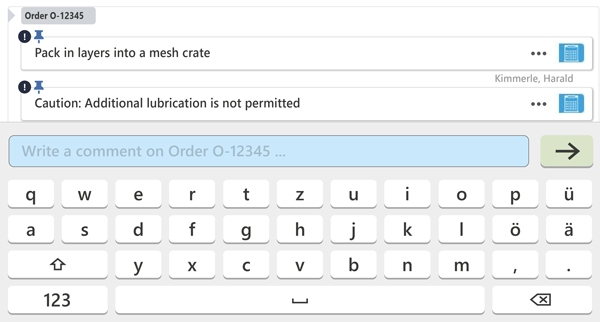
Capture comments right where they occur
Permanently secure practical knowledge and notes directly at the object
Notes or special characteristics regarding an order, article, or machine (such as material deviations) are stored directly within the file. This ensures that valuable practical experience remains saved as permanent digital work instructions directly at the object and visible to all subsequent shifts.
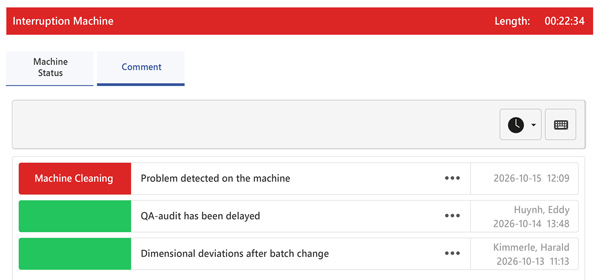
Capture status messages directly and effortlessly
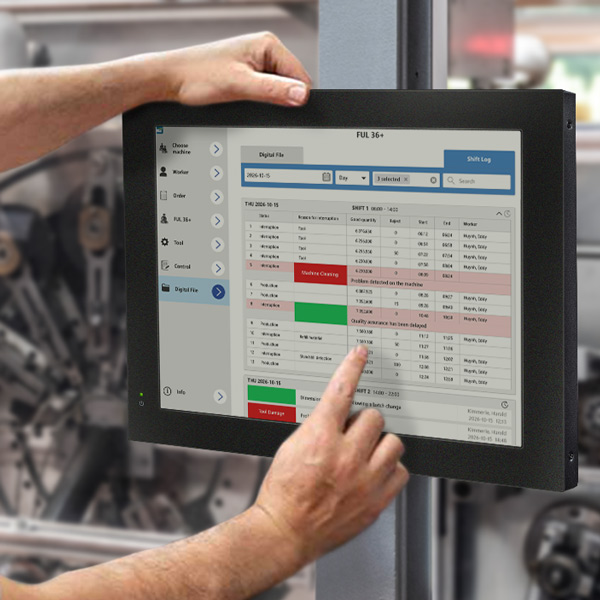
Whether downtime, machine damage, or setup: Operators can comment on the specific reason or provide additional information directly within the machine status, completely without detours through text templates or switching modules. This enables clean documentation and provides the data foundation for automatic shift evaluation.
The Digital Shift Log:
Complete transparency across all events in your shift
The shift log integrated into the Digital Production File brings together what belongs together: It automatically combines status comments, file notes, and production histories in one central location. Depending on preference, entries for the day, week, shift, or any custom time period can be displayed.
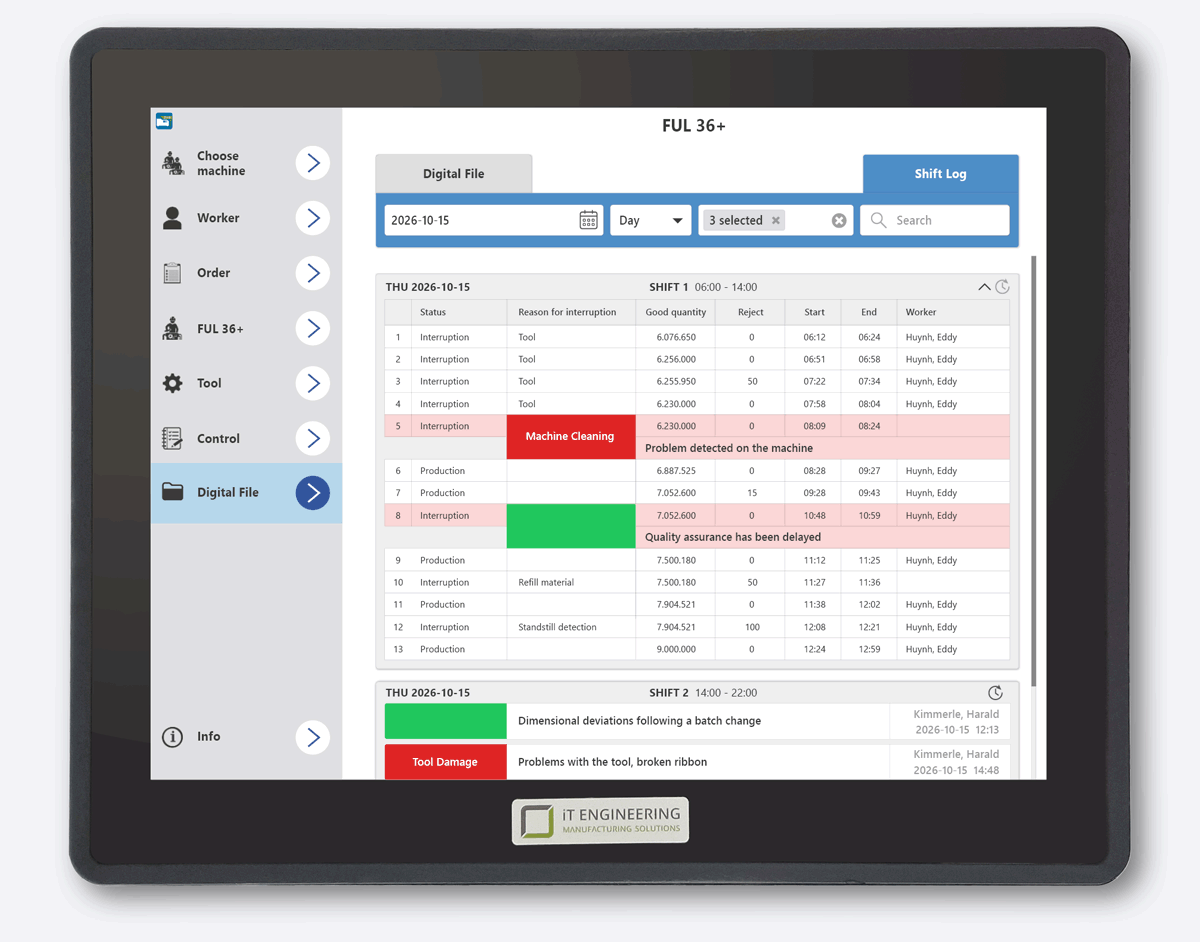
Real time status updates
Disruptions, downtime, and status comments from the shift are immediately visible at a glance.
Complete history
In combination with order notes and production histories, this creates a seamless picture of the shift progression, entirely without manual handover slips.
Flexible reports
With a single click, you generate transparent shift or weekly reports for analysis, evaluations, and printing.
Flexible views and mobility:
The digital file is right where you need it
Maximum efficiency occurs when information is available exactly where it is needed. Without detours, without interrupting workflows, and in whichever display format you prefer. Whether at a touch terminal, as a side by side view on a 24 inch monitor, or mobile on a tablet: Information delivery adapts flexibly to your work environment, not the other way around.
Everything at a glance, without switching modules (split screen)
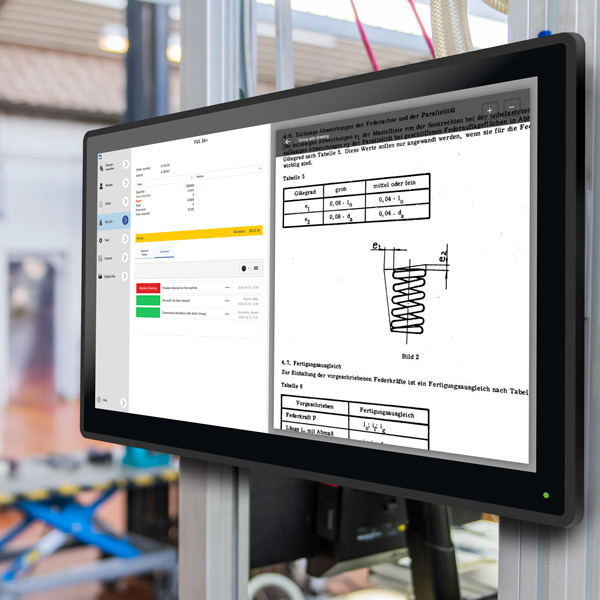
Large 24 inch touch monitors create maximum clarity at the workstation. Thanks to intelligent screen splitting (split screen), constantly switching back and forth between different application levels is a thing of the past. On one half of the screen, the operator keeps the current production status in view, while drawings, lubrication plans, or the shift log are displayed in parallel on the other half.
The modern alternative to paper folders (mobile tablet)
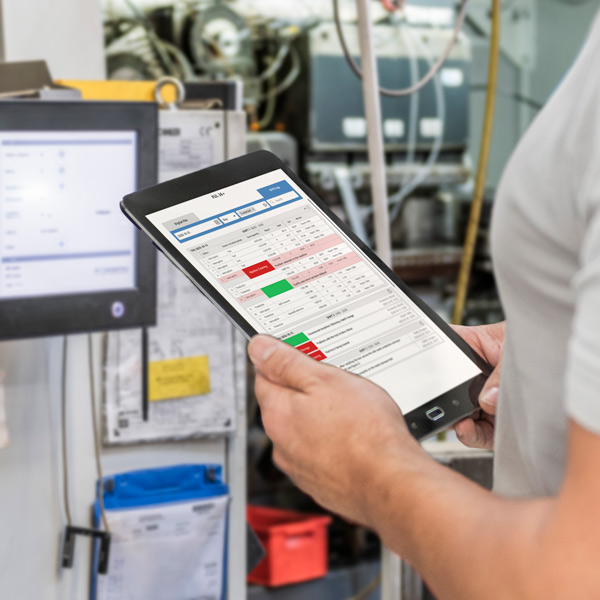
Not every workstation requires new hardware infrastructure. Those relying on standard terminals simply expand the workstation with a mobile tablet, giving operators full access to drawings, notes, and the digital shift log at all times. This allows you to make optimal continued use of your existing hardware landscape while bringing full mobility to the shop floor.
The digital file moves along with every container as well
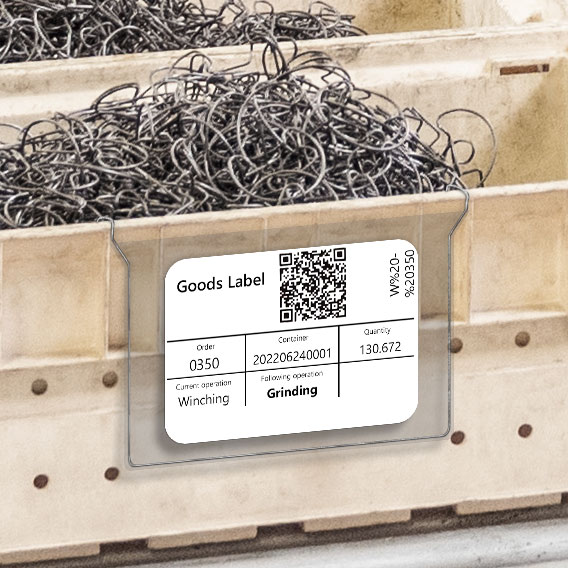
The information from the Digital Production File does not end at the machine terminal. Clearly label parts and containers including all stored information, creating seamless traceability throughout the entire operation.

All modules:
EMC Machine Data Acquisition
EMC Operational Data Acquisition
EMC Monitoring

EMC Reporting
EMC Dashboard

EMC Team Planner
EMC Detailed Planning
EMC Order Management

EMC Maintenance

EMC Spare Parts Management
EMC Process Data Acquisition

EMC Control
EMC Digital File
EMC Factory Logistics
EMC Energy Management
EMC Report Server
EMC IoT

EMC Chat

EMC Message
EMC Converter
EMC Machine Data Acquisition
EMC Operational Data Acquisition
EMC Monitoring
EMC Reporting
EMC Dashboard
EMC Team Planner
EMC Detailed Planning
EMC Order Management
EMC Maintenance
EMC Spare Parts Management
EMC Process Data Acquisition
EMC Control
EMC Digital File
EMC Factory Logistics
EMC Energy Management
EMC Report Server
EMC IoT
EMC Chat
EMC Message